

Download Any Text to Voice – text to voice, text to speech, voice reader, audio reader, read aloud, voice assistant, voice tool, voice generator, text reader, voice synthesizer
Overview
Any Text to Voice is a mobile application designed to transform written content into spoken audio, offering a practical solution for individuals who prefer auditory consumption over reading. The app serves as a versatile text-to-speech tool, enabling users to convert documents, articles, and other textual materials into natural-sounding voice output. This functionality is particularly beneficial for people with visual impairments, those managing busy schedules, or individuals seeking hands-free learning and content access. By supporting a broad range of file formats, including .txt, .docx, .rtf, .html, .epub, .mobi, and .doc, the app ensures compatibility with most commonly used documents across personal and professional environments. The developer, Any Text to Voice, has positioned the app within the productivity category, emphasizing utility and accessibility. Although specific details about the development team or company background are not publicly available, the app’s consistent updates and functional design suggest a dedicated focus on user experience. Real-world use cases include listening to long-form content during commutes, studying with audio notes, or accessing digital books without screen time. In the broader mobile app ecosystem, Any Text to Voice fills a niche for accessible, cross-platform reading tools, offering a lightweight yet powerful alternative to more complex software.
Key Features & Functionality
- Multi-Platform Accessibility: Users can access and convert text to speech on both mobile devices and desktops, allowing seamless continuity across devices. This is ideal for professionals who begin reading on a computer and continue on their phone during transit.
- Support for Multiple File Formats: The app handles .txt, .doc, .docx, .rtf, .html, .epub, .mobi, and .pdf files, enabling users to import content from diverse sources without conversion hassles.
- Audio Output Flexibility: Converted audio can be saved in popular formats such as MP3, WAV, M4A, and WMA, ensuring compatibility with most media players and sharing platforms.
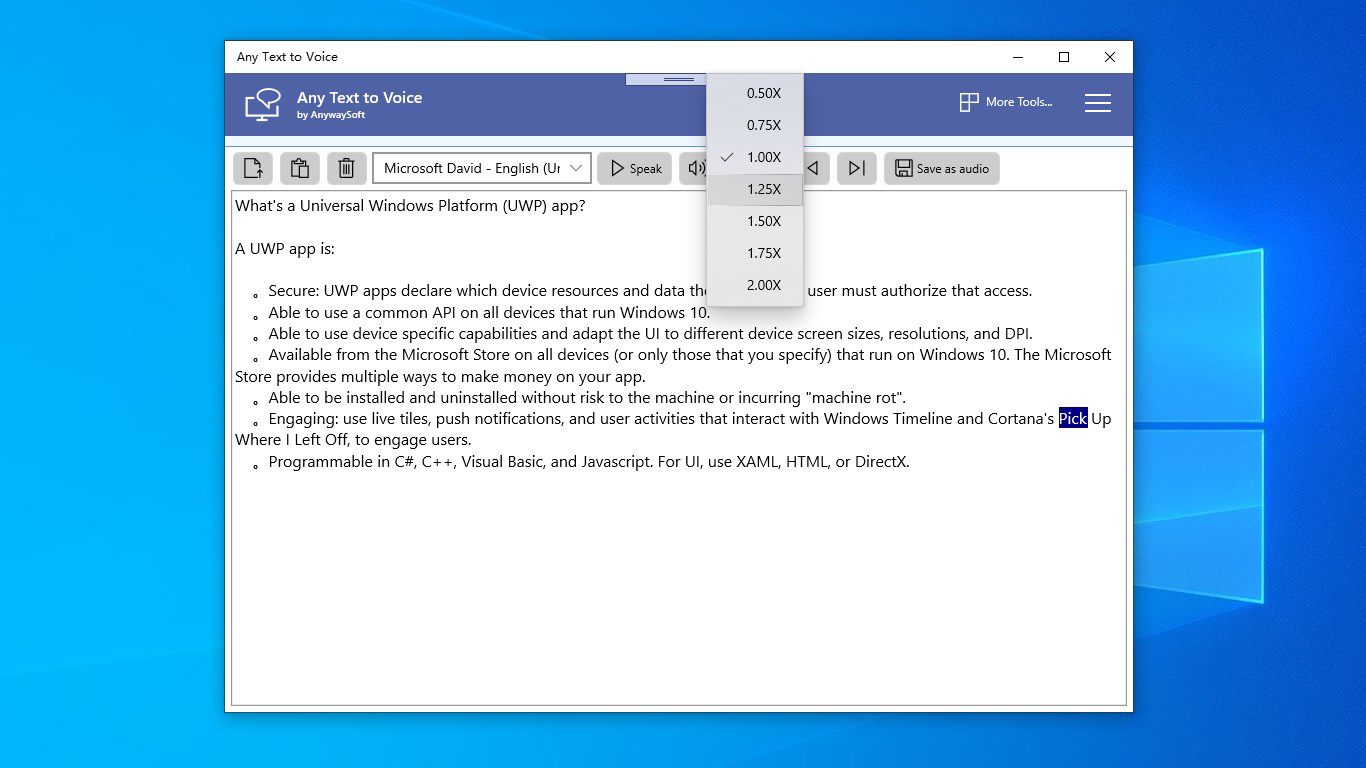
- Customizable Voice Settings: Users can adjust speech speed and volume to match personal preferences, improving listening comfort and comprehension for different content types.
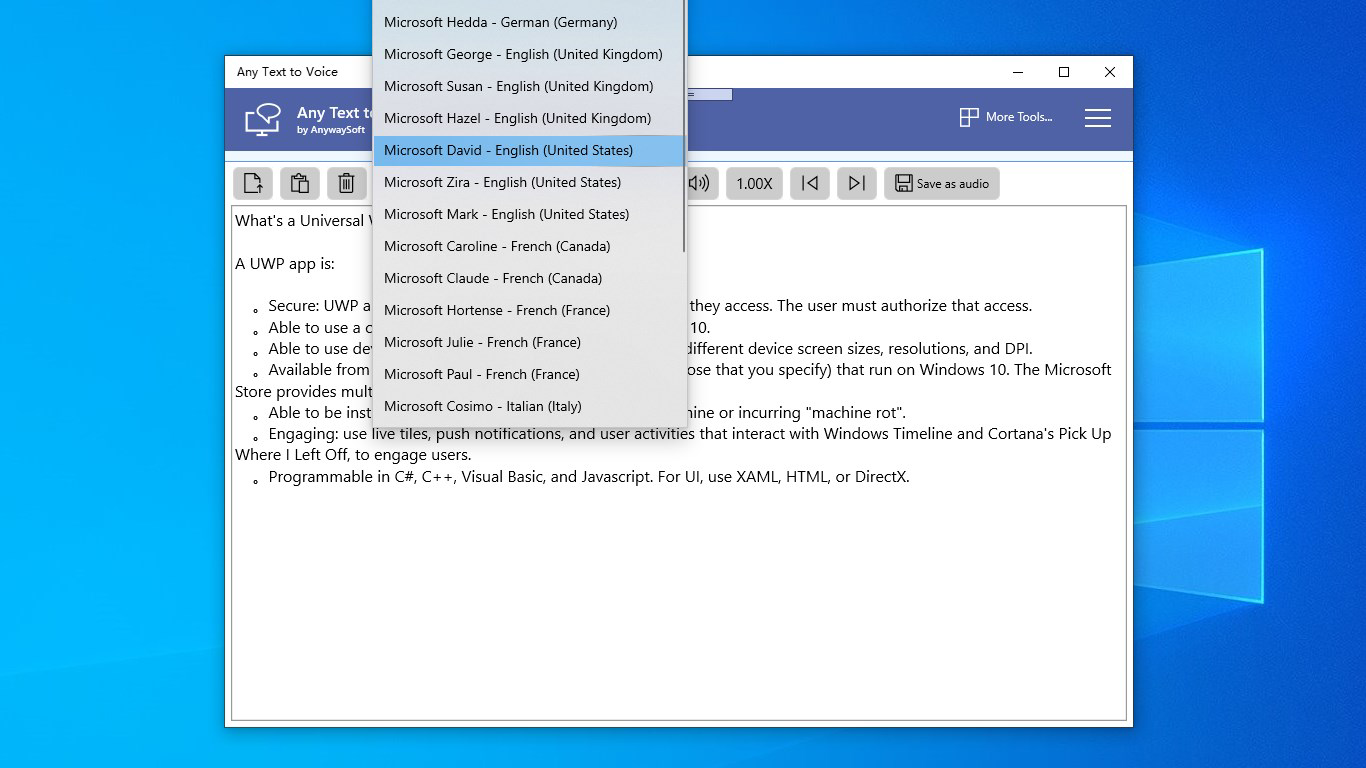
- Free Voice Download Options: Additional voices can be downloaded at no cost, allowing users to experiment with different tones and accents for a more engaging listening experience.
These features collectively enhance usability in real-world scenarios. For example, a student can convert lecture notes into audio and listen during a walk, while a busy professional might read a lengthy report aloud while driving. The ability to save audio files also supports offline access, making the app suitable for travel or low-connectivity environments.
Interface, UX & Performance
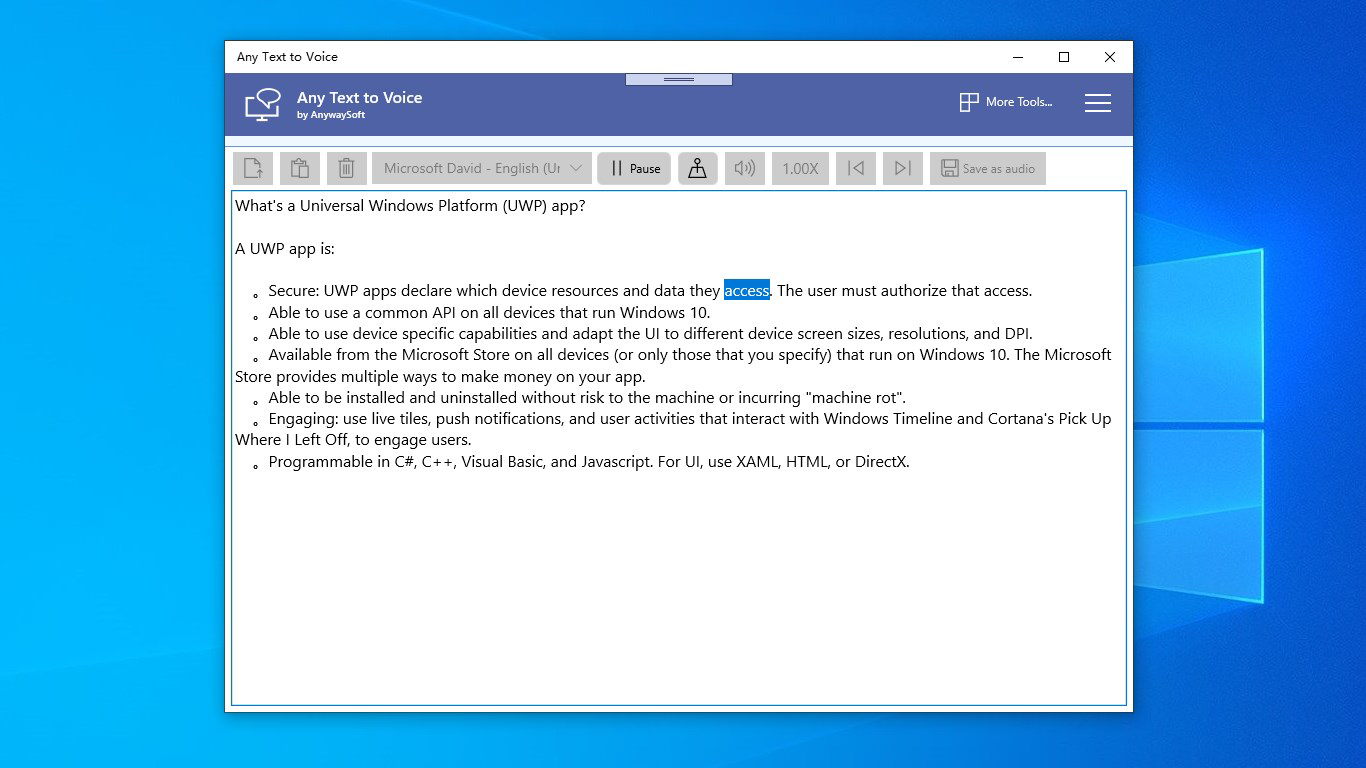
The user interface of Any Text to Voice is designed with simplicity and efficiency in mind. The layout is clean, with intuitive navigation that guides users through the process of importing text, selecting voice settings, and exporting audio. Visual elements are minimal yet functional, focusing on core actions such as file upload, playback controls, and settings adjustment. The app’s responsiveness is consistent across various device categories, though specific performance benchmarks were not disclosed by the developer. Although the developer did not list formal performance metrics, user feedback suggests stable operation during typical usage scenarios. The app maintains smooth playback without noticeable lag or crashes, even when processing moderately sized documents. Navigation remains straightforward, with logical grouping of functions and minimal onboarding steps. The audio playback controls are easily accessible, allowing users to pause, resume, or skip through content with ease. Stability during extended use has not been reported as an issue, and the app consumes a moderate amount of system resources, which aligns with its lightweight footprint of 15.8 MB. Overall, the UX prioritizes accessibility and ease of use, making it suitable for both tech-savvy users and those new to text-to-speech tools.
Platform Compatibility & Technical Requirements
Any Text to Voice is available exclusively on the Android platform. The current version is 1.0.4, with a file size of 15.8 MB, indicating a compact and efficient application. The developer did not specify minimum OS requirements, so compatibility with older Android versions cannot be confirmed. Users should ensure their device meets standard Android system requirements for app installation. The app is free to download and use, with no in-app purchases or subscription tiers mentioned. While the app supports multiple file formats and audio outputs, the developer did not provide detailed technical specifications regarding processor, RAM, or storage needs. Specific requirements were not listed, so users are advised to check their device’s compatibility before installation. The app’s lightweight nature suggests it should run smoothly on most modern Android smartphones and tablets, though performance on low-end devices may vary without official confirmation.
Pros and Cons
Pros
- Supports a wide range of file formats for seamless text import.
- Offers multiple audio output formats for flexible sharing and storage.
- Allows customization of speech speed and volume for personalized listening.
- Provides free access to additional voices for enhanced audio variety.
- Lightweight design with a small file size of 15.8 MB.
Cons
- Specific OS compatibility details were not disclosed by the developer.
- No information was provided about background playback capabilities.
- Developer background and support channels remain unclear.
- Advanced features such as batch processing or cloud integration were not mentioned.
- Audio quality details were not specified in the provided documentation.
FAQ
Is Any Text to Voice available on iOS?
Currently, the app is only available on Android. No iOS version has been released or announced by the developer.
Can I use Any Text to Voice without an internet connection?
Yes, the app functions offline after installation. Text-to-speech conversion and audio playback do not require an active internet connection.
Are there any hidden costs or in-app purchases?
The app is free to download and use. No in-app purchases or subscription fees were listed in the provided information.
How do I download additional voices?
Additional voices can be downloaded directly within the app’s settings. The feature is available at no cost, as stated in the app’s description.
Can I convert long documents without performance issues?
While the developer did not specify performance limits, the app’s lightweight design suggests it can handle long documents, though actual performance may depend on device capabilities.
Final Thoughts
Any Text to Voice delivers a focused, efficient solution for turning written content into spoken audio. Its support for multiple file types, customizable voice settings, and free voice downloads make it a valuable tool for students, professionals, and anyone seeking accessible reading alternatives. The app’s clean interface and offline functionality enhance usability across diverse environments. While some technical details remain unspecified, its core features are well-executed and practical. For users looking for a reliable, no-cost text-to-speech utility on Android, Any Text to Voice stands out as a solid choice. Download Any Text to Voice now.


